
Work in Progress: v0.3 Takes Shape
At the end of September we wrote about our plans for v0.3 and the World Map. At that point we had a working prototype and a list of open questions, most of them about economics. Since then most of the prototype has become part of the game, and we have answered most of the economic questions.
Everything in this post comes from a current development build, so mechanics, wording and layout may still change before release.
Adding the World Map
As planned, the World Map simulates your nation’s neighbours, its continent and the rest of the world. The generated world has around 200 countries, close to the number in the real world. The World Map sits above the National Map and you reach it with one button in the top bar. Double-click your own country to go back to the National Map. Foreign countries, continents and oceans are named using six invented naming styles.
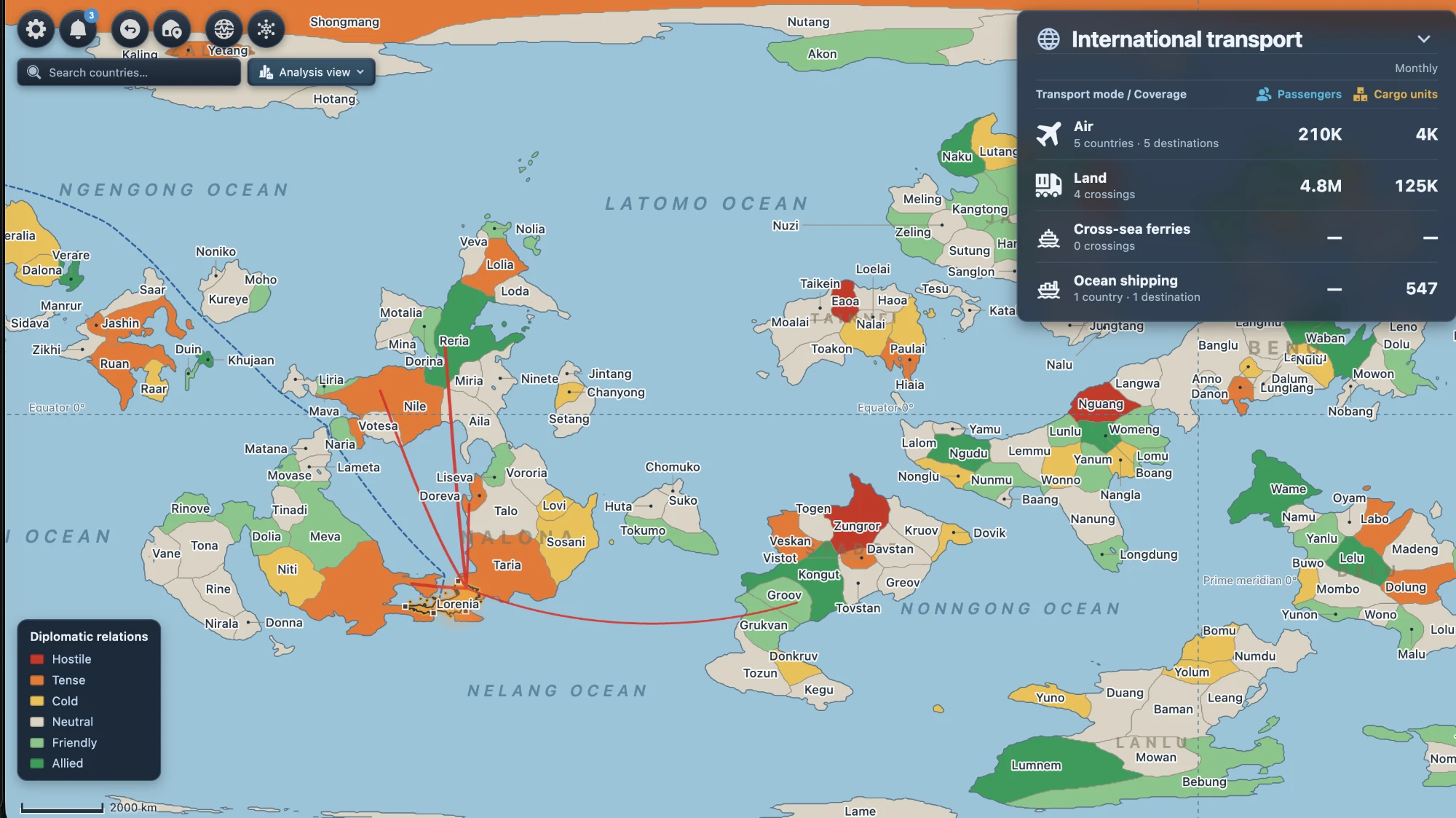
The World Map in its relations view. Each foreign country is coloured from hostile to allied, and the panel on the right totals your international traffic by mode for the month.
Every country has a relationship with your nation
Each foreign country now has a relationship with your nation, on a scale from 0 to 100 in six bands: hostile, tense, cold, neutral, friendly and allied. Where you start is set by the seed, by distance, and by how large the two countries are. After that it moves over time. Trade and connections hold a relationship steady. Neglecting a neighbour whose demand you never serve lets it slide. And if you become allies with a country, drop visas or form a free-trade area with it, the relationship improves and more traffic follows.
There are also events. Once or twice a year, a diplomatic event lands on one of the countries, drawn from a pool of fifty. Most of them hurt and a few help. Countries under embargo also have their own “breaking the ice” events, so a hostile neighbour can come round in time.
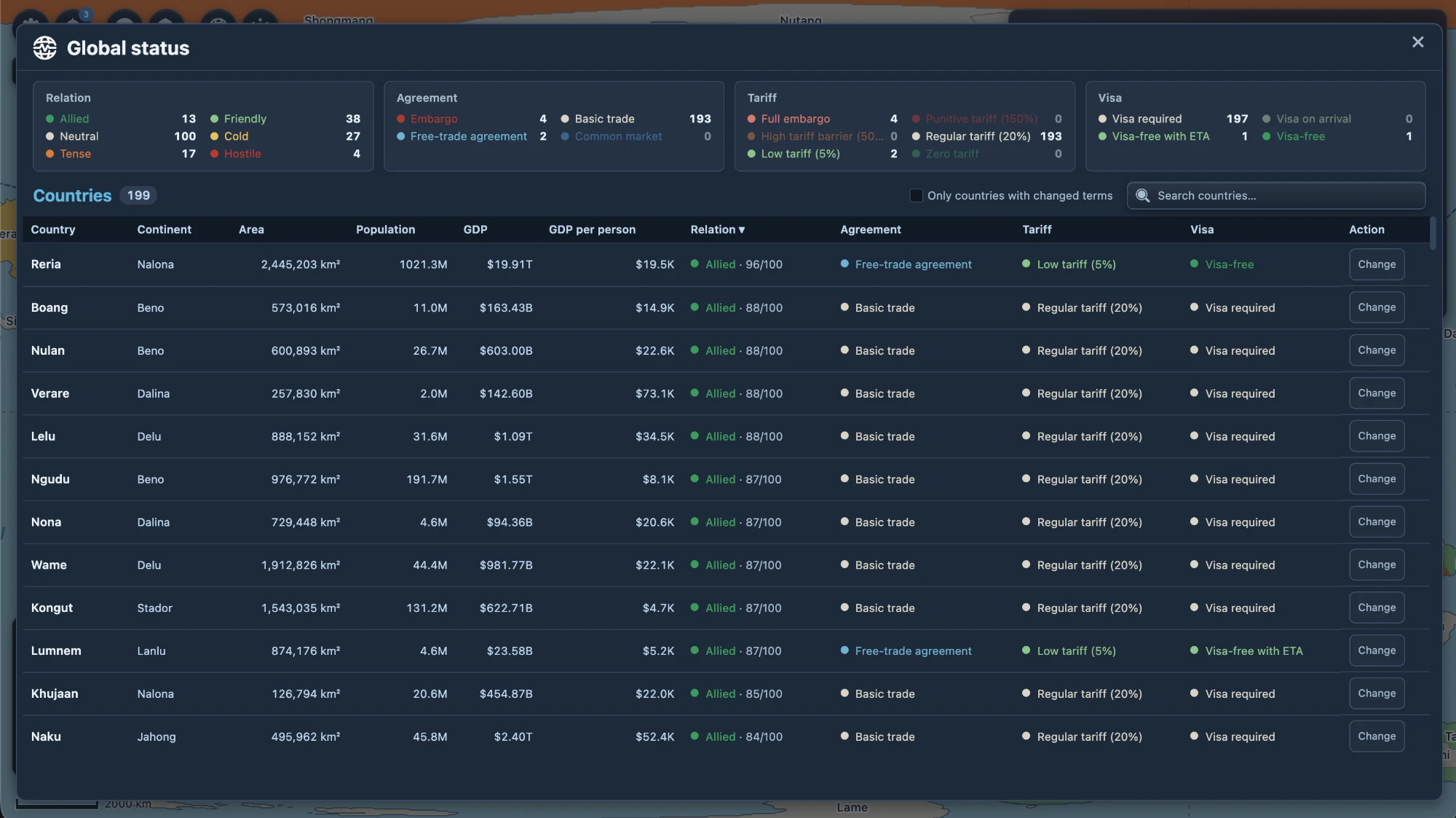
Global status lists every country with their size, population, GDP and current terms. The cards at the top count how many countries sit at each level.
The relationship limits the terms you can set. Each country has:
- a trade agreement: embargo, basic trade, free-trade agreement or common market;
- a tariff, from full embargo down through punitive (150%), high (50%), regular (20%) and low (5%) to zero;
- a visa regime: visa required, visa on arrival, visa-free with an electronic travel authorisation, or fully visa-free.
Tariffs mostly act on freight and visas mostly act on passengers. Better terms bring more traffic and lower fees per unit, and changing them costs money to negotiate. A country you are on bad terms with will not sign a free-trade agreement whatever you offer.
Three ways across the border
The three kinds of international transport we described in September are now all in the game, and all of them share the domestic demand model. An international trip still has to reach the airport, the port or the border crossing, so your domestic network has to be good enough to feed it.
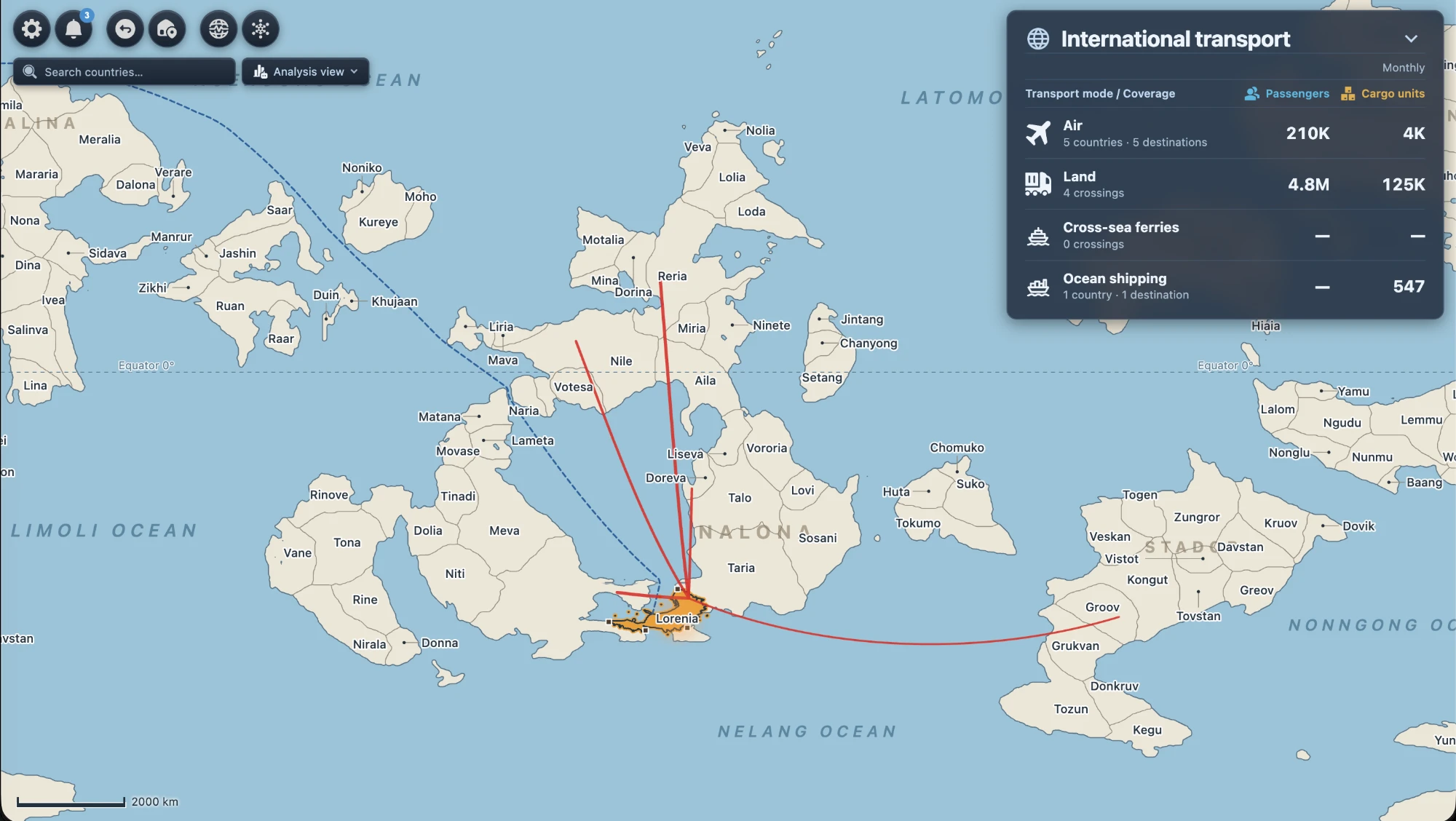
Air
You open an international route from the normal aviation build tool by picking a destination on the World Map, and you manage it in the aviation panel next to your domestic routes. Airports now split passengers and cargo into domestic and international, and an airport that flies abroad gets an “Intl” badge.
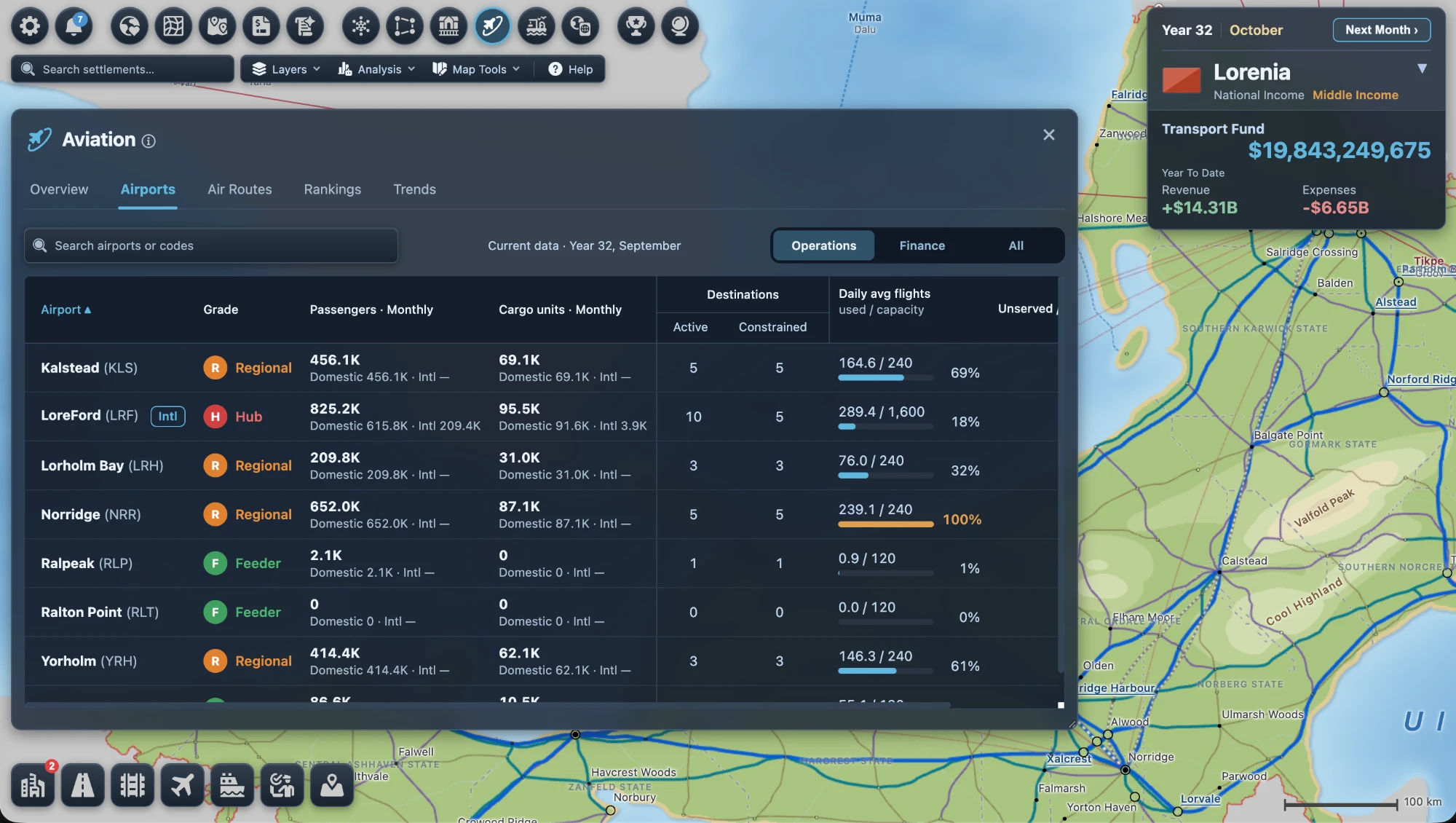
Your hub airports can also take on transfer traffic. Passengers flying between two foreign countries can change planes at your hub using seats left over on your direct flights. They pay fares but no entry fees, and they help the hub city develop.
Land
Border crossings are fixed sites on the border. On the neighbour’s side there is a border town that the game generates. On your side, a settlement close to the border can apply to open a crossing and be paired with that town. Opening one is a negotiation: it takes time and money, and how long it takes depends on your relationship with that country. Once the crossing is open, build a road or a railway to it and cross-border demand starts flowing. Customs is charged at the crossing. You can also name your crossings.
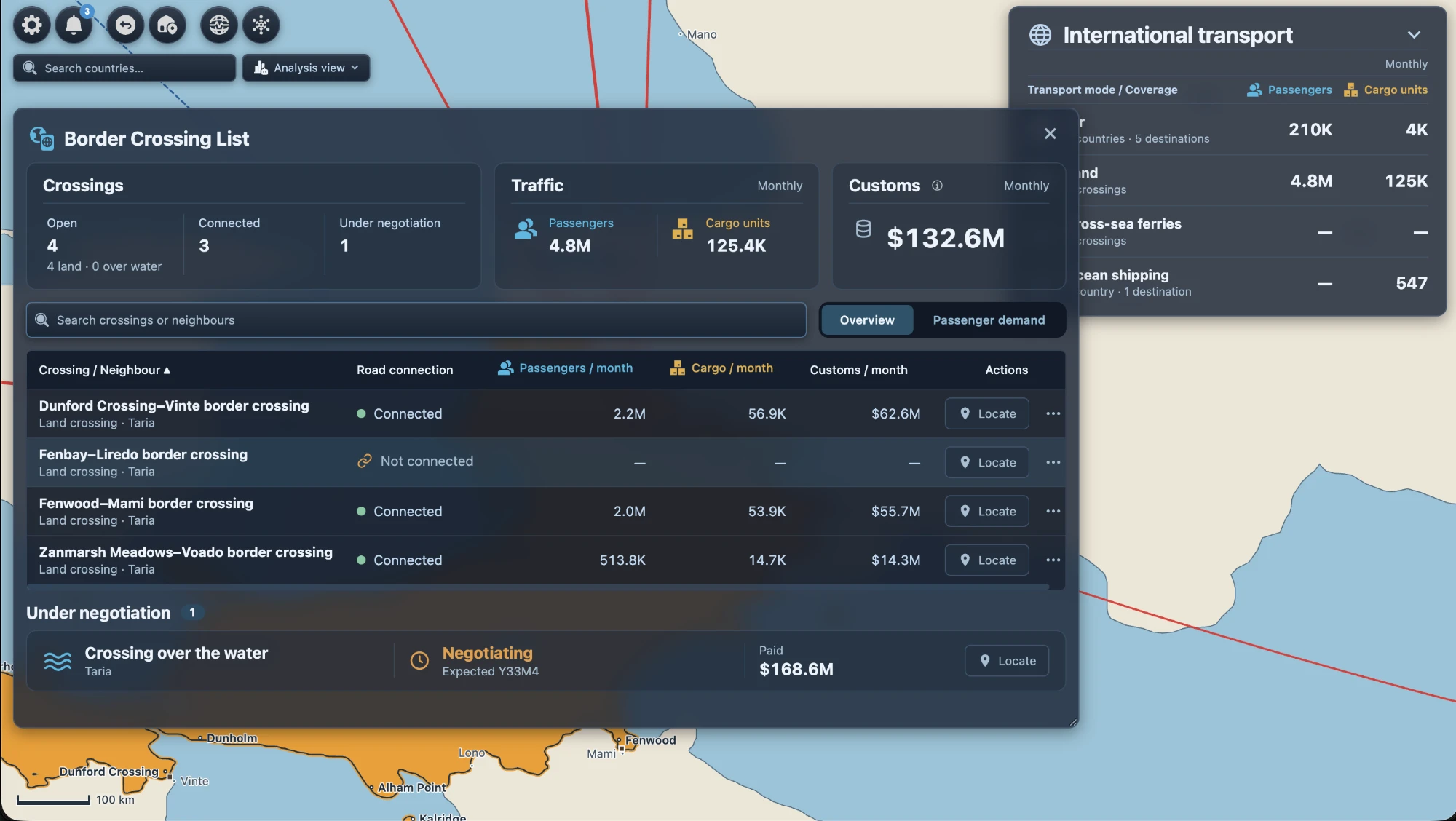
In this save, three connected land crossings with Taria carry 4.8 million passengers a month and bring in $132.6M in customs. A fourth is open but has no road to it yet.
There are crossings over water too. If a strait separates you from a neighbour, you can negotiate a crossing on the coast and connect it with a bridge, or with a car or train ferry from a port.
Sea
Ocean shipping lanes run from an international terminal at one of your ports, which has to reach open sea. Lakes and enclosed inland seas don’t count. One lane can call at up to eight foreign ports and share its ships between them. Freight goes to the carriers, so you don’t run the ships themselves. Each quarter a carrier drops one weekly sailing if the busier direction is under 40% full. The nation’s income is customs, plus handling fees at the port.
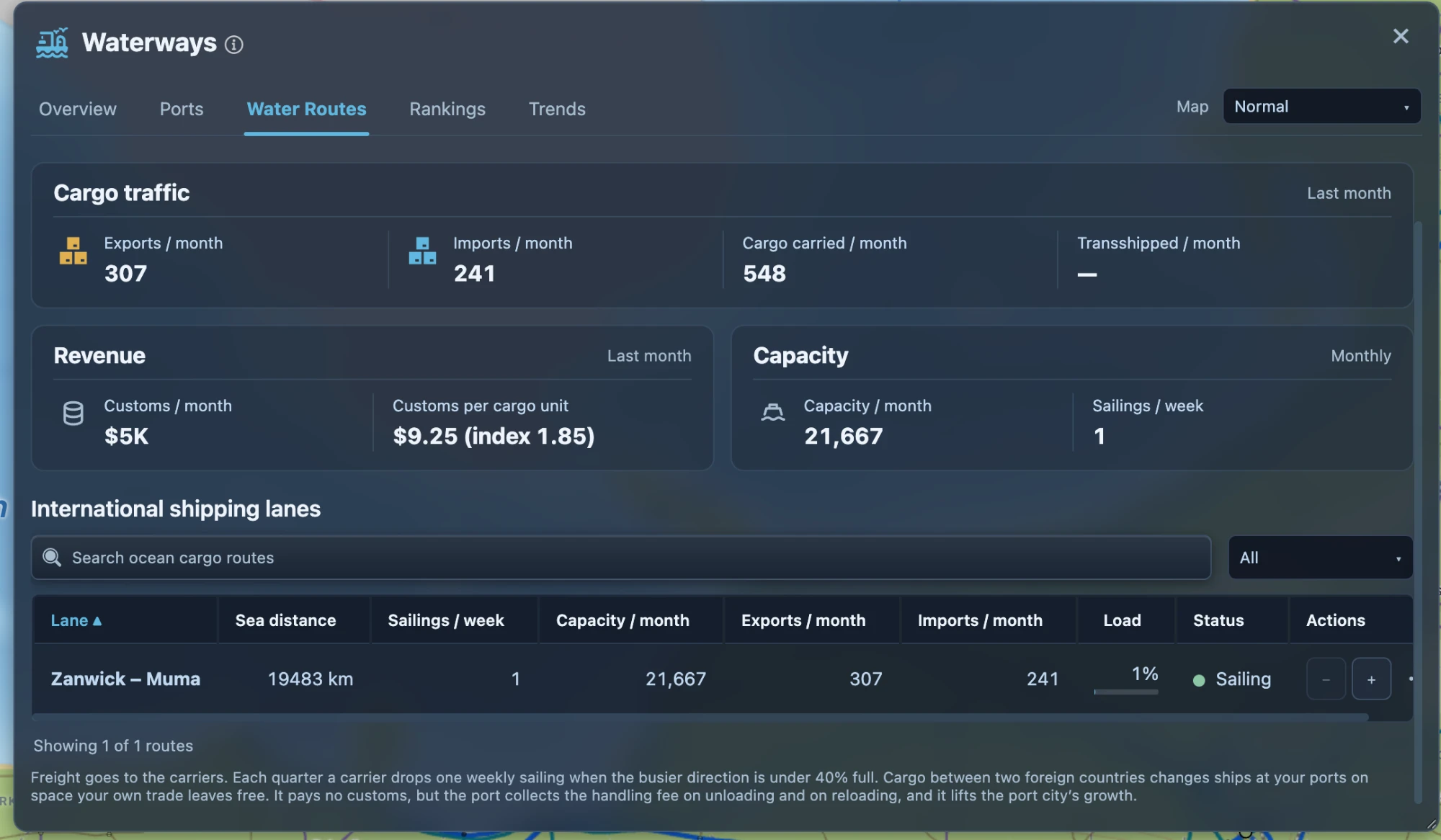
Your ports can also become transshipment hubs. Cargo moving between two foreign countries can change ships at your port, using space your own trade has left free. It pays no customs, but the port charges handling for unloading and loading again, and the port city grows.
Services that build demand
International demand takes the size and wealth of each country into account, along with distance and your relationship with it. If you serve a market steadily with good connections, its demand grows step by step. If the service stops, that extra demand fades back over about two years. International traffic also helps development: in the gateway cities where the crossings and airports are, and in the home cities where the trips start. This bonus is capped, and it does not count toward your GDP.
The National Map
The National Map gets two big features in v0.3, along with a set of simulation fixes.
Junctions
Roads and railways can now meet and split outside cities. Draw a new road onto an existing one and a junction appears. Several roads can then share a stretch of road, and each keeps its own number.
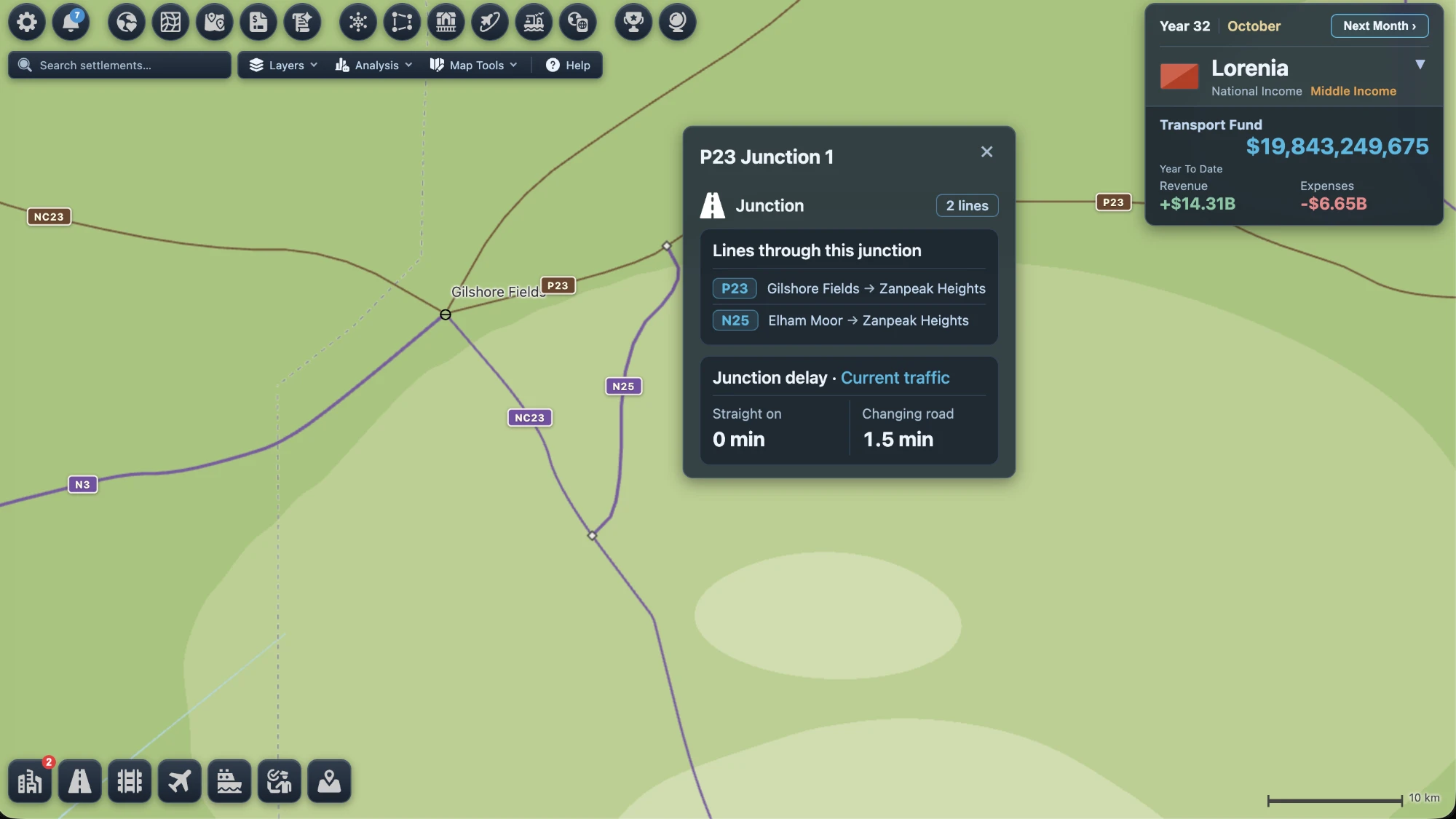
A junction shows which lines pass through it and what it costs in time. Carrying straight on is free. Changing road costs time, and more when the roads next to it are busy.
Towns cost time in a similar way. A trip passing through one loses some time depending on the town’s size and the grade of the roads it enters and leaves by, except on expressway-to-expressway connections. This lets bypasses and ring roads pay off where they would in real life.
Reach maps
The Analysis menu has three new views: road reach, rail reach and all-modes reach. Pick a settlement and the map shows how far you can get from it in one to five hours. The calculation includes delays in towns and at junctions, ferry waits, and only the passenger rail lines that actually run.
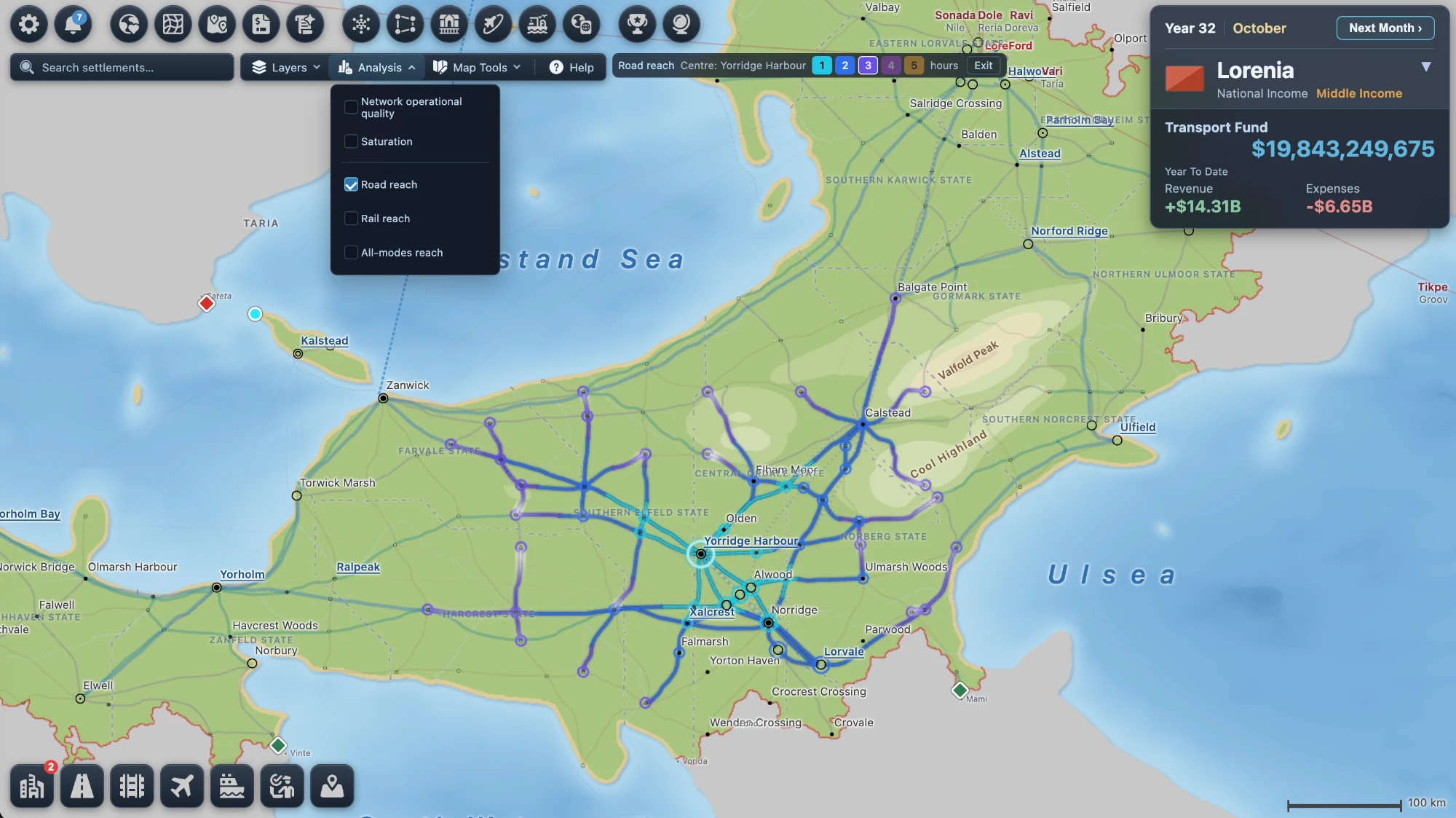
Road reach from Yorridge Harbour. Each shade of blue is one more hour. A border crossing can also serve as the centre.
Simulation fixes
Most of these won’t show on the map, but they change what the simulation does:
- Rail trips can now change between a conventional line and a high-speed line.
- Adding a full option to a trip could sometimes lower the total number of people carried. We rewrote the overflow logic, and an extra option now never reduces what is carried.
- Car and train ferries now take up their port’s ferry berth capacity, and those berths can be expanded.
- A settlement’s resource score is now its starting value plus a bonus from development, capped at +20. Older saves are recalculated once when you open them, and the game tells you when that happens.
- You can repay a loan early in one go, with no penalty, and the credit is available again straight away.
- An existing cargo or passenger water route can be upgraded to mixed without being rebuilt.
The City Map
So far the City Map changes are smaller, and mostly bring it in line with the rest of the game. The toolbars, HUD, city metrics, transport and feature managers, and the demand page now use the same design as the National Map, so moving between the two no longer feels like switching games. Airfields and terminals in a city now get development capacity based on the grade of the matching national airport, and the city metrics checklist names the step that is missing, with a button to fix it.
Before v0.3.0 is released we will do more work on the City Map experience, especially on performance, and on showing how the City Map and the National Map relate to and affect each other.
And a few more things
- Almost every panel in the game has been redesigned, so many screenshots in this post will look new to you even where the features are not.
- There are eleven new piano tracks in the soundtrack.
- We are reviewing the text in every panel, every tooltip and the help pages, to make it clearer and easier to read.
- We are adding more of the options you need to Settings, such as different map styles, so players can set the game up the way they like to play.
When is the release
Most of the features above are built and being tested. What’s left is mainly balance. International and domestic transport both need room to play in different ways: a nation with very little land, for example, might still run a booming international trade, say as an international air hub. The details also have to stay manageable, so that the game doesn’t turn into a chore. We’ll also check the translations, and play and analyse long games on large saves to improve speed and performance further.
We expect v0.3 to be ready before mid-December 2026 (and we’re aiming to get it out before the Christmas holidays!). Before then we will post the full patch notes, along with notes on how older saves carry over.
Let us know what you think.